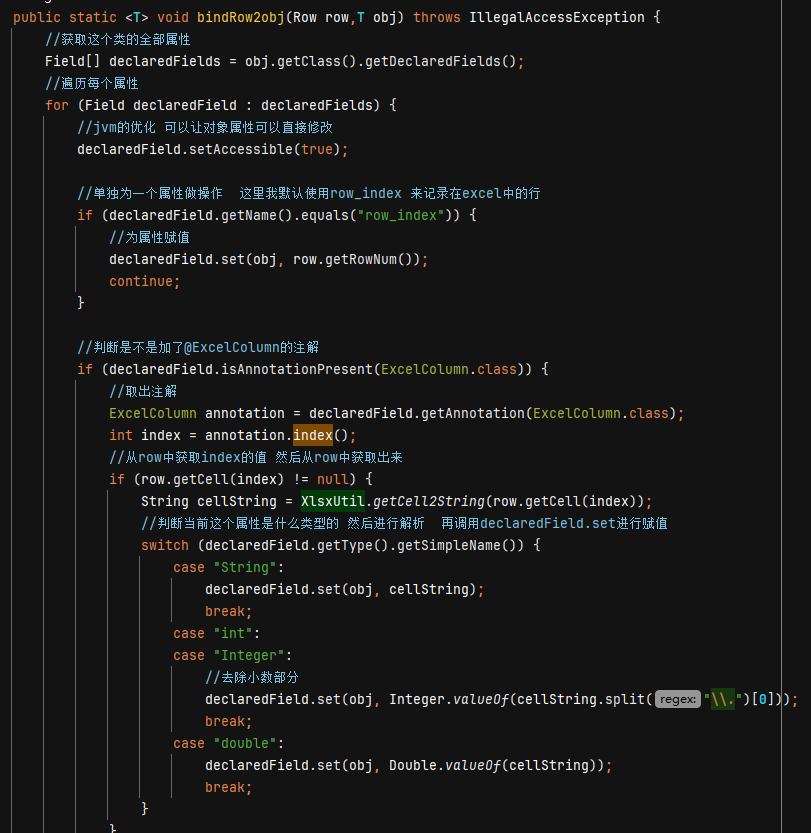
最近整了个新的奇葩需求 在android中处理excel表,通过搜索找到了个
库apache的poi poi-3.12-android-a.jar 但是用起来非常多api都没有 就想着自己整一个 然后就用上了接触已久 但是从没自己写过的东西 注解
主要目的是为了把表格中的一行(Row)转换为一个Java对象来操作,整个表(Sheet)当成一个List,一行中的列(Cell)就当成对象中的属性字段。
1. 注解类
定义一个注解类 用在 类字段上面 后面可以用@ExcelColumn(name = “商品编号”, index = 0)来为一个类属性添加注解
1
2
3
4
5
6
| @Retention(RetentionPolicy.RUNTIME)
@Target(ElementType.FIELD)
public @interface ExcelColumn {
String name();
int index();
}
|
2.解析的类
1
2
3
4
5
6
7
8
9
10
11
12
13
14
15
16
17
18
19
20
21
22
23
24
25
26
27
28
29
30
31
32
33
34
35
36
37
38
39
40
41
42
43
44
45
46
47
48
49
50
51
52
53
54
55
56
57
58
59
60
61
62
63
64
65
66
67
68
69
70
71
72
| public class XlsxUtil {
private static final String TAG="XlsxUtil";
public static <T> List<T> bindObject(FileInputStream fis,Class<T> type, boolean skip_first) throws Exception {
ArrayList<T> rows = new ArrayList<>();
Workbook workbook = new XSSFWorkbook(fis);
Sheet sheetAt = workbook.getSheetAt(0);
for (Row row : sheetAt) {
if (skip_first && row.getRowNum() == 0) continue;
T t = type.getDeclaredConstructor().newInstance();
bindRow2obj(row,t);
rows.add(t);
}
return rows;
}
public static <T> void bindRow2obj(Row row,T obj) throws IllegalAccessException {
Field[] declaredFields = obj.getClass().getDeclaredFields();
for (Field declaredField : declaredFields) {
declaredField.setAccessible(true);
if (declaredField.getName().equals("row_index")) {
declaredField.set(obj, row.getRowNum());
continue;
}
if (declaredField.isAnnotationPresent(ExcelColumn.class)) {
ExcelColumn annotation = declaredField.getAnnotation(ExcelColumn.class);
int index = annotation.index();
if (row.getCell(index) != null) {
String cellString = XlsxUtil.getCell2String(row.getCell(index));
switch (declaredField.getType().getSimpleName()) {
case "String":
declaredField.set(obj, cellString);
break;
case "int":
case "Integer":
declaredField.set(obj, Integer.valueOf(cellString.split("\\.")[0]));
break;
case "double":
declaredField.set(obj, Double.valueOf(cellString));
break;
}
}
}
}
}
public static String getCell2String(Cell cell){
if (cell.getCellType() == Cell.CELL_TYPE_NUMERIC) {
return String.valueOf(cell.getNumericCellValue());
} else if (cell.getCellType() == Cell.CELL_TYPE_STRING) {
return cell.getStringCellValue();
} else if (cell.getCellType() == Cell.CELL_TYPE_BOOLEAN) {
return String.valueOf(cell.getBooleanCellValue());
}
return "";
}
}
|
在这里我前面想使用一个实体XlsxUtil类来对应一张表(Sheet),泛型放到类上面去,后面想想这样也不太好,多了一个List的状态要管理,这样不好使用多线程或者后面的一些复杂的东西。所有目前的是方法式的泛型,单纯当一个工具类来使用 不需要管理任何的状态。
3. 具体使用的代码
1
2
3
4
5
6
7
8
9
10
11
12
13
14
| public void initdata(){
File file = new File(this.getExternalFilesDir(null), "data.xlsx");
try {
FileInputStream fis = new FileInputStream(file);
boxInfos = XlsxUtil.bindObject(fis, BoxInfo.class, true);
for (BoxInfo boxInfo: boxInfos) {
Log.i("Main", "strings: " + boxInfo.toString());
}
fis.close();
} catch (Exception e) {
e.printStackTrace();
}
}
|
在BoxInfo中使用注解在字段上面就好了
1
2
3
4
5
6
| @ExcelColumn(name = "商品编号", index = 0)
private int goods_code;
记得加上一个空构造
public BoxInfo() {
}
|